Sometimes, your seller might want to be more involved in the showing process.
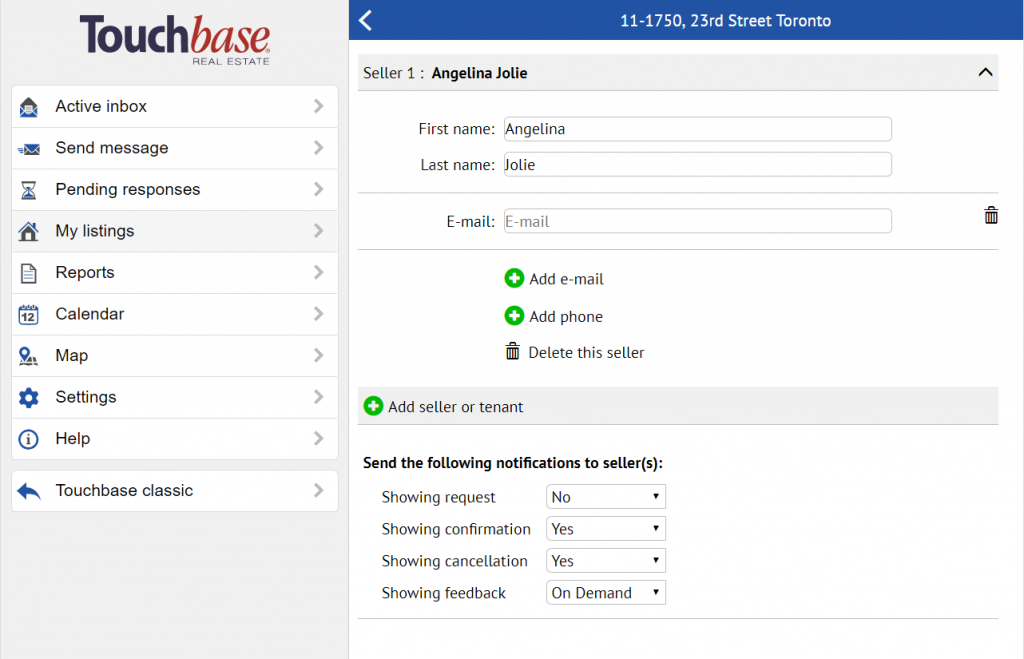
You have the option to add their email or cell phone number, and choose which types of messages they will receive.
You can even choose to send messages On demand, meaning they will not receive them automatically, but you can forward them to the email they’ve given you with the click of a button!
To do this, go to My listings > Choose the listing > Seller details.
Enter your seller’s first and last names, and then choose to Add phone, Add email, or both.
You can then choose which message types they will receive.